Download BlackCellComms
Get the BlackCellComms (GRS) app on your device. Comms Center, APRS, Meshtastic, and more.
All platforms
macOS M Chips
Apple Silicon (M1, M2, M3, M4)
Click the button below to download directly.
macOS shows "damaged" or can't open?
macOS Gatekeeper blocks apps downloaded outside the App Store. After downloading, open Terminal and run:
xattr -cr ~/Downloads/blackcellcomms-mac.dmgThen open the DMG and drag BlackCellComms to Applications. If it still warns, go to System Settings > Privacy & Security and click "Open Anyway".

macOS Intel
Intel x86-64
Click the button below to download directly.
macOS shows "damaged" or can't open?
macOS Gatekeeper blocks apps downloaded outside the App Store. After downloading, open Terminal and run:
xattr -cr ~/Downloads/blackcellcomms-mac.dmgThen open the DMG and drag BlackCellComms to Applications. If it still warns, go to System Settings > Privacy & Security and click "Open Anyway".
Linux ARM64
Handheld Linux / Raspberry Pi
Click the button below to download directly.

iPhone & iPad
iOS
The BlackCellComms iOS app is coming soon to the App Store.
Android
Phone & Tablet
The BlackCellComms Android app is coming soon to Google Play.
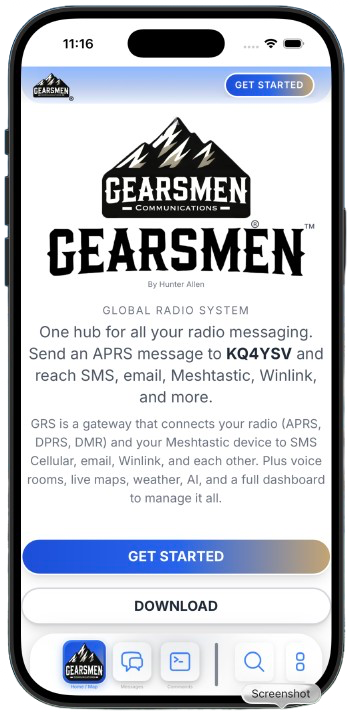
BlackCellComms for iPhone & iPad
The native iOS app is being submitted to the App Store. It will be available for iPhone and iPad soon.

Desktop (Mac, Windows, Linux)
Desktop apps are not in the Mac App Store or Microsoft Store. Download them directly from this page using the buttons above.
Handheld Linux & ARM Devices
BlackCellComms runs natively on ARM64 Linux handhelds and single-board computers. Full desktop app or headless mesh bridge for field operations.
Clockwork uConsole
CM4-based handheld with 5" display. Runs the full BlackCellComms desktop app via ARM64 AppImage.
Download ARM64 AppImageClockwork DevTerm
Portable terminal with thermal printer. Same ARM64 AppImage, or run the headless mesh bridge.
Download ARM64 AppImageRaspberry Pi
Pi 4/5, Pi 400, Compute Module 4. Desktop with display or headless gateway.
Download ARM64 AppImage
GRS Mesh Linux Bridge
Turn any Linux device into a GRS Mesh node without a display. The bridge connects to the GRS Mesh network via MQTT and optionally relays traffic from a USB-connected ESP32 LoRa radio. Runs as a systemd service on boot.
Works on: Clockwork uConsole, DevTerm, Raspberry Pi, any Debian/Ubuntu/Arch Linux. Requires Python 3.
GRS Mesh Firmware
Want to use BlackCellComms off-grid? Flash GRS Mesh firmware onto your ESP32 device directly from the browser - no downloads or command-line tools needed. Open Flash GRS Mesh from the Comms Center menu, plug in your device, pick your board, and click Flash.
Flash GRS Mesh Firmware →Pre-built firmware binaries
For advanced users who prefer to flash manually via esptool or ESP-IDF. The web flasher above is recommended for most users.
GRS Device Runtime & Simulator
Turn any device into a real GRS Mesh node. Run the T-Deck, Spec5 Beacon, Ranger Magnum, and more right in your browser with full firmware emulation.
ISM bands • LoRa • Part 15
← Back to home