 BETA
BETABy Hunter Allen at Gearsmen LLC.
Designed in Daytona Beach, Florida.
 FCC Part 15 & Part 97 • TCPA • CCPA • GDPR compliant
Global Radio System - GRS OS (since July 2nd, 2025)
World's First Cross-Protocol, Cross-Platform Operating System (GRS OS) — LoRa & WiFi Mesh Simultaneously — Connecting MeshCore, Meshtastic, GRSM, SMS, Email, Winlink, and APRS On and Off-Grid.
Firmware. Website. App. Downloadable Client. GRS is a full operating system that runs on every platform.
GRSM is the only mesh firmware that bridges LoRa, WiFi mesh, and Bluetooth mesh at the same time — three radios, zero internet required, no protocol lock-in. If you run GRSM you can communicate with all the others seamlessly and they can communicate with you.










.jpg)
%20(1).jpg)

%2C_performs_a_traffic_call_to_departing_aircraft.jpg)








Live Demo
Mesh Network in Action
Watch messages hop across relay nodes to reach remote teams -- no cell towers, no internet, just radio.
True Cross-Platform
One Device, Three Networks
Your GRS device speaks every protocol simultaneously
Cross-Platform. Cross-Protocol. Cross-Network.
Your data gets there no matter what, anywhere in the world, across any protocol.
Cross-Platform
One account works on every device you own. Your mesh radio, your phone, your laptop, your tablet — all connected. Start a conversation on your T-Deck in the field, continue it on your phone at home.
- •ESP32, nRF52, iOS, Android, Web, Desktop
- •Same dashboard everywhere — identical UI on device and browser
- •Contacts, messages, and settings sync across all devices
Cross-Protocol
Your device speaks every mesh protocol simultaneously. Send a message from GRS Mesh and it arrives on a Meshtastic radio, a MeshCore node, an APRS station, or even as an SMS — automatically.
- •GRS Mesh, Meshtastic, MeshCore, APRS, SMS, Email
- •On-device protocol translation — no server or PC required
- •Time-Division Multiplexing — one radio, three networks at once
Cross-Network
A message from a LoRa node hops through the mesh until it hits a bridge node with internet. Then it routes through the cloud to the recipient — anywhere in the world. Send from Meshtastic in Colorado to an APRS user in Japan. Voice, text, or photos.
- •LoRa, WiFi Mesh, BLE Mesh, and LTE — auto-selects the lowest-power path
- •Voice calls switch between WiFi (low latency) and LoRa (off-grid) automatically
- •Photos and files route over WiFi when available, compress for LoRa when not
Global Mesh Communication
Other mesh networks only work peer-to-peer — if you're not in radio range, you can't communicate. Gearsmen is different. Your message hops through nearby nodes until it reaches a bridge with internet, then routes globally through the cloud. A text from a GRS device in Colorado can reach a Meshtastic user in Texas, an APRS station in Japan, or arrive as an SMS on any phone — all automatically.
Voice calls and photos work globally between GRS devices and the web app — your voice message compresses with Codec2, hops through the mesh, bridges to the cloud, and plays on the recipient's device or browser anywhere in the world.
The first mesh platform where your messages get there no matter what — anywhere in the world, across any protocol, over any transport.
The Best Alternative to a Satellite Phone
A standalone mesh device that can call real phone numbers and text anyone on Earth.
Call Any Phone Number
In the middle of nowhere with no cell service? Your mesh device connects through WiFi mesh to a nearby bridge with internet and calls any phone number in the world. The person on the other end hears your real voice, not a robot. It's a real phone call — full duplex, real-time — from a standalone device with no SIM card and no phone plan.
Text Any Cell Phone
Send a text from your mesh device and it arrives as a real SMS on anyone's cell phone — anywhere in the world. They can text back. No app needed on their end. Your mesh message hops through LoRa nodes until it reaches a bridge, then delivers via SMS. Works even from complete off-grid.
How It Compares
| GRS Mesh Device | Satellite Phone | Garmin inReach | |
|---|---|---|---|
| Voice calls | Real-time duplex | Yes (~$1/min) | No |
| Text to any phone | Yes (SMS bridge) | Yes (~$0.50/msg) | Yes (preset only) |
| Monthly plan | None | $30–$150/mo | $12–$65/mo |
| Mesh networking | Yes (multi-hop) | No | No |
| Cross-protocol | APRS, Meshtastic, MeshCore, SMS & more | Iridium only | Iridium only |
| Send photos | Yes | No | No |
| Group messaging | Unlimited groups | No | No |
| Custom messages | Any text, any length | 160 chars | Preset + short custom |
| Offline maps | Yes (SD card) | No | Yes |
| Phone as mesh node | Yes — just the app | No | No |
| Works without subscription | 100% free | No — required | No — required |
A mesh device running Gearsmen firmware does what a satellite phone does — voice calls, text messages, GPS tracking, emergency SOS — with no monthly subscription, no satellite fees, and the ability to mesh with other devices for extended range. The only requirement is that a bridge node somewhere in your mesh has internet.
Don't have a mesh device? Just download the app — your phone becomes a mesh node over Bluetooth, relaying messages for nearby devices.
Unlike WhatsApp, FaceTime, or Telegram — which only work when both people have the same app — Gearsmen lets you call and text any real phone number. The person you're calling doesn't need to download anything. Their phone just rings.
Range vs Speed — You Choose
More range means slower messages. Your device lets you pick the right balance — or auto-selects for you.
| Mode | Range | Message Speed | Voice | Group Chat | Battery |
|---|---|---|---|---|---|
Fast SF7 · 5,500 bps | ~5–10 km | 0.07 sec Instant | Works | 500+ msg/hr | Minimal |
Normal DEFAULTSF9 · 1,800 bps | ~10–20 km | 0.3 sec Near instant | Works | 150+ msg/hr | Normal |
Long Range SF11 · 440 bps | ~30–60 km | 1.5 sec Slight wait | Slow | ~40 msg/hr | Higher |
Max Range SF12 · 250 bps | ~50–140 km | 3.8 sec Noticeable wait | Not possible | ~15 msg/hr | Highest |
Range Comparison (Same Power Output)
All at the same power output (+14 dBm / 25 mW). The range increase comes from smarter signal encoding — the radio “speaks slower and more clearly” so the receiver can hear it from further away.
Message Delivery Time
Time for a single 50-byte text message to transmit. Longer messages take proportionally longer.
Smart Auto-Select
Don't want to think about it? Your device auto-selects the best setting. Chatting with someone nearby? It uses Fast mode for instant delivery. Reaching a node far away? It bumps to Long Range automatically. Emergency? Maximum range, no questions asked. You just hit Send — the firmware picks the physics.
Your Message Always Gets Through
Five layers of delivery intelligence. You just hit Send.
BLE + WiFi Mesh
Checks Bluetooth mesh and WiFi mesh first — the fastest, lowest-power local paths. BLE for nearby nodes, WiFi for medium range.
LoRa Radio
If WiFi can't reach them, switches to LoRa mesh automatically.
Signal Boost
If LoRa fails, bumps the signal strength and tries again with more range.
Cross-Transport Retry
If one radio fails, tries the others. Three independent radios (BLE, WiFi, LoRa) mean three chances to deliver.
Bridge Queue
If no path works right now, queues the message and delivers when a bridge comes online.
Zero settings. Zero configuration. The firmware handles the physics — you just communicate.
Emergency Power Boost
When it matters most, your device reaches further than you ever thought possible.
Up to 140 km over open ocean. 14x range improvement by combining maximum TX power + SF12 maximum sensitivity + maximum error correction.
Firmware detects your exact radio chip (SX1276, SX1262, SX1268) at boot and caps power at its rated maximum. Physically cannot exceed what the hardware is designed for. Zero risk of damage.
Emergency mode stays active for 30 minutes. Every message you send — text, voice, position — goes at maximum range. Not just a one-time beacon. Extendable if you need more time.
Emergency beacon transmits on GRS Mesh, Meshtastic, MeshCore, and APRS simultaneously. Maximizes the chance that any receiver in range — regardless of what protocol they use — picks up your signal.
Slide-to-confirm activation. 1-hour cooldown between uses. Max 6 per day. Every activation GPS-logged with timestamp. Prevents misuse while ensuring it's always there when you truly need it.
~15% battery per activation (10 beacons over 5 minutes + 30-min max-range window). After emergency mode ends, device enters low-power listen mode to preserve remaining battery for rescue response.
One slide activates Emergency Power Boost. Your radio maxes out to ~80 km range, broadcasts your position on every mesh protocol, and keeps you at max range for 30 minutes. Then it listens for rescue on minimal power. No subscription. No cell tower. Just physics.
Real Voice Calls. Real File Transfer. No Internet Required.
Not just text messages. Gearsmen is the first mesh platform with real-time duplex voice calls, LoRa voice transmissions, and full file/image/audio transfer over mesh radio.
Voice Calls
Real-time duplex voice calls over WiFi mesh (~55ms latency). Call any phone number via PSTN bridge. Voice memos over LoRa using Codec2 compression.
- ●WiFi mesh calls -- real-time duplex, multi-hop relay, up to 5 simultaneous
- ●Phone bridge -- call any phone number from your mesh device via Vonage
- ●LoRa voice -- Codec2 compressed voice memos at 1200-3200 bps
- ●Companion relay -- use your phone as a bridge for free calls
Files, Images & Audio
Send photos, documents, audio recordings, and any file type across the mesh. Auto-selects the fastest transport: BLE for nearby, WiFi for medium range, LoRa for long range.
- ●Images -- compressed JPEG over LoRa, full resolution over WiFi mesh
- ●Documents -- PDFs, notes, maps -- any file up to 10MB over WiFi mesh
- ●Audio clips -- voice recordings, alerts, compressed for LoRa delivery
- ●NodeDrop -- AirDrop-style proximity sharing, no internet needed
LoRa Transmissions
Long-range radio transmissions that reach 1-15+ km. Text, position beacons, voice memos, and compressed images over LoRa with automatic spreading factor selection.
- ●Auto-SF -- device picks SF7-SF12 based on distance, battery, congestion
- ●Multi-hop relay -- messages hop through other nodes to extend range
- ●Store & forward -- messages queue when target is offline, deliver when reachable
- ●Cross-protocol -- reaches Meshtastic, MeshCore, and APRS networks
Three Ways to Make a Call
No other mesh platform does this. Meshtastic and MeshCore are text-only. Gearsmen sends voice calls, images, files, and audio across three radios -- BLE, WiFi, and LoRa -- and automatically picks the fastest one. Your message, your voice, your files. Always delivered.
How It Works
How Your Message Travels
One message, multiple protocols, zero internet. GRS routes your data across whatever path is available.


Your phone and your mesh device become one system. Open the Gearsmen app on your phone, connect to your device, and everything just works.
40 companion features. GPS, compass, camera, calls, clipboard, files, notes, SOS — all flow automatically.
How It Works
What this means for you
Your phone's GPS works everywhere — even deep in the wilderness with no cell service. Just by having your phone nearby, your mesh device instantly knows your exact location. No extra GPS hardware needed. Your phone's satellite connection always works, and now your mesh device benefits from it automatically.
A real compass that works when you're standing still. Most mesh devices can only tell which direction you're heading when you're walking. With Companion Link, your phone's built-in compass gives your device a true heading even when you're not moving — just like the compass app on your phone, but on your mesh device.
Take a photo on your phone, it shows up on your mesh device. Need to share what you're seeing with your team across the mesh network? Snap a photo on your phone and it appears on your device — ready to send across the mesh to anyone.
Write a note in the wilderness, it syncs to the cloud later. Jot down coordinates, observations, or a checklist on your mesh device while you're off-grid. When your phone gets internet later — could be hours or days later — everything syncs automatically. Your notes and reminders are always safe.
Share anything from your phone to your mesh device. Reading something in Apple Notes and want it on your device? Tap the Share button and pick Gearsmen. Found a useful page in Safari? Share it. Took a photo? Share it. It works from any app on your phone — the same way you'd share something with a friend, except you're sending it to your mesh device.
Zero setup. You just connect and it works. There are no settings to configure, no modes to enable, no pairing codes to enter. Open the Gearsmen app on your phone, tap your device, and everything flows automatically. GPS, compass, internet, files, notes — all of it. If you disconnect, your device keeps working normally. If you reconnect, everything picks up right where it left off.
Why no one else has done this
Other mesh platforms let your phone send GPS coordinates to your device — a single data point, one direction. GRS Companion Link is the first system where every capability on your phone — GPS, compass, gyroscope, camera, internet, storage, and your personal data like notes and reminders — all flow to your mesh device as one seamless experience. Every feature on your device automatically becomes smarter when your phone is nearby. And when your phone isn't nearby, everything still works — just without the extras.
Works with the Gearsmen app on iPhone, Android, and Mac. Compatible with all GRS Mesh devices.
Answer Phone Calls
Your iPhone rings, your mesh device rings too. Answer from your device's speaker and mic — even a mile from your phone.
Satellite GPS Everywhere
Your phone's GPS works even with zero cell service. Your mesh device gets precise coordinates just by being connected.
True Compass
Phone gyroscope gives your device a real compass heading — works even when you're standing still.
Share From Any App
Tap Share in Apple Notes, Safari, Photos, or any app. Content appears on your mesh device instantly.
Notes That Sync
Write a note on your device in the wilderness. It syncs to your phone, then to the cloud when your phone gets internet.
Field Checklists
Shared reminders between your phone and device. Check items off on either one — they stay in sync.
Phone Camera
Capture photos from your phone and they appear on your mesh device — ready to send across the mesh network.
Remote Shutter
Set up your phone for a group photo, walk away, press a button on your mesh device to take the shot.
Music Player
Play music from SD card or control your phone's music. Your mesh device can even be a Bluetooth speaker.
Web Browsing
Browse the internet on your mesh device through your phone's cellular connection. No WiFi needed on the device.
Emergency SOS
One slide on your device: mesh SOS sent, phone calls 911, texts your emergency contacts, uploads your location — all at once.
Clipboard Sync
Copy a coordinate on your phone, paste it on your device. Copy a callsign on your device, paste it on your phone.
Notification Mirror
See your phone's text messages, app alerts, and weather warnings right on your mesh device screen.
Find My Device
Lost your phone? Your mesh device makes it ring — even on silent. Lost your device? Your phone finds it.
Document Scanner
Point your phone at a document. The scan appears on your device as a clean PDF in your file system.
Voice-to-Text
Speak into your device, your phone converts it to text. Compose messages by talking — no keyboard needed.
Translate
Type a message in English on your device, your phone translates it. Mesh device becomes multilingual.
Offline Maps
Phone downloads map tiles while it has internet, sends them to your device. Full detail maps even when completely offline.
Health Monitor
Step count, heart rate from your Apple Watch — displayed on your mesh device. Emergency alert if heart rate spikes.
Live Audio Monitor
Leave your phone somewhere as a listening post. Hear the audio on your mesh device from a distance.
Screen Mirror
See your mesh device's screen on your phone. Bigger display, easier to read, tap to control.
Weather Forecast
Your device gets a 5-day forecast through your phone's internet — even if the device has no WiFi or weather sensor.
QR Code Scanner
Your device says "Scan QR" — your phone camera opens, scans it, sends the data back to your device.
Firmware Updates
Update your mesh device firmware through your phone. No computer, no WiFi cable, no USB needed.
Mesh Find My Friends
Your phone's location broadcasts over the LoRa mesh. Your team sees where you are — completely off-grid.
Multi-Device
Connect your iPhone, Android, and MacBook all at once. Your device uses the best GPS, the fastest internet, and whichever camera you choose.
Panic Button Relay
One button press triggers 5 emergency actions across both your device and your phone simultaneously.
Time Sync
Your device's clock is always accurate — synced from your phone's network time on every connection.
Delivery Receipts
Know when your mesh message was actually received. No more guessing.
Range Test
Ping any node and see live signal strength, quality, and round-trip time. Know your exact range.
Weather Station
Your device broadcasts real weather data — temperature, humidity, pressure — to the APRS network.
Emergency SOS
One slide: mesh SOS + 911 call + SMS contacts + cloud upload + audio recording. Five actions, one gesture.
Secure by Default
BLE pairing with codes. Signed SOS messages. Encrypted SD card. Transfer resume if connection drops.
Do Not Disturb
Set quiet hours. Your device stays silent at night. SOS alerts always break through.
Apple Watch
See mesh messages on your wrist. Device status on your watch face. Send a ping without touching your phone.
Siri + Voice Control
"Hey Siri, send mesh message: meeting at summit in 30 minutes." Hands-free mesh communication.
Accessibility
Audio screen reader for visually impaired users. The first mesh device with built-in accessibility.
8 Languages
English, Spanish, Portuguese, French, German, Chinese, Japanese, Korean built in.
Data Export
Export all your notes, reminders, messages, and contacts. Your data is always yours.
40 companion features. Zero configuration. It just works.

19+
Real-Time Data Layers. One Map.
APRS, Meshtastic, MeshCore, DMR, ADS-B, AIS, PSK Reporter, POTA, SOTA, weather balloons, repeaters, trains, submarine cables, GPS jamming, public safety, disaster alerts, weather radar, lightning, and more - all live, all at once. The most diverse real-time data layers on a single consumer-facing map.
What is GRS?
GRS connects different radio and mesh networks so they can all talk to each other. Your device can reach Meshtastic, MeshCore, APRS radios, text messages, and email - all from one place.
Think of mesh networks as roads and GRS as the navigation system. Your device keeps working even without GRS - you're never locked in.
Mesh Accelerator - Messages jump across regions instead of slowly hopping device-to-device. We don't replace mesh - we make it faster.
How a message flows across networks
Your message travels through whichever nearby device has an internet connection - Meshtastic, MeshCore, or GRS. One system, every network.
GRS Mesh Accelerator™ - Fewer hops. Faster delivery.

If one path fails, GRS tries other routes.
GRS Mesh Accelerator™
Without an internet-connected device nearby, mesh only works locally - Florida can't reach Japan. GRS Mesh Accelerator connects Meshtastic, MeshCore, and GRS Mesh into one network. Florida to Japan, and everywhere in between.
Your message travels through local mesh until it reaches a device with internet, then jumps instantly to the other side of the world and back onto mesh near the recipient.
Instead of hopping device-to-device across the country, messages jump between regions in seconds.
Backbone layer, not replacement. Mesh-to-mesh continues when GRS cloud is unavailable.
GRS OS connects all of these.
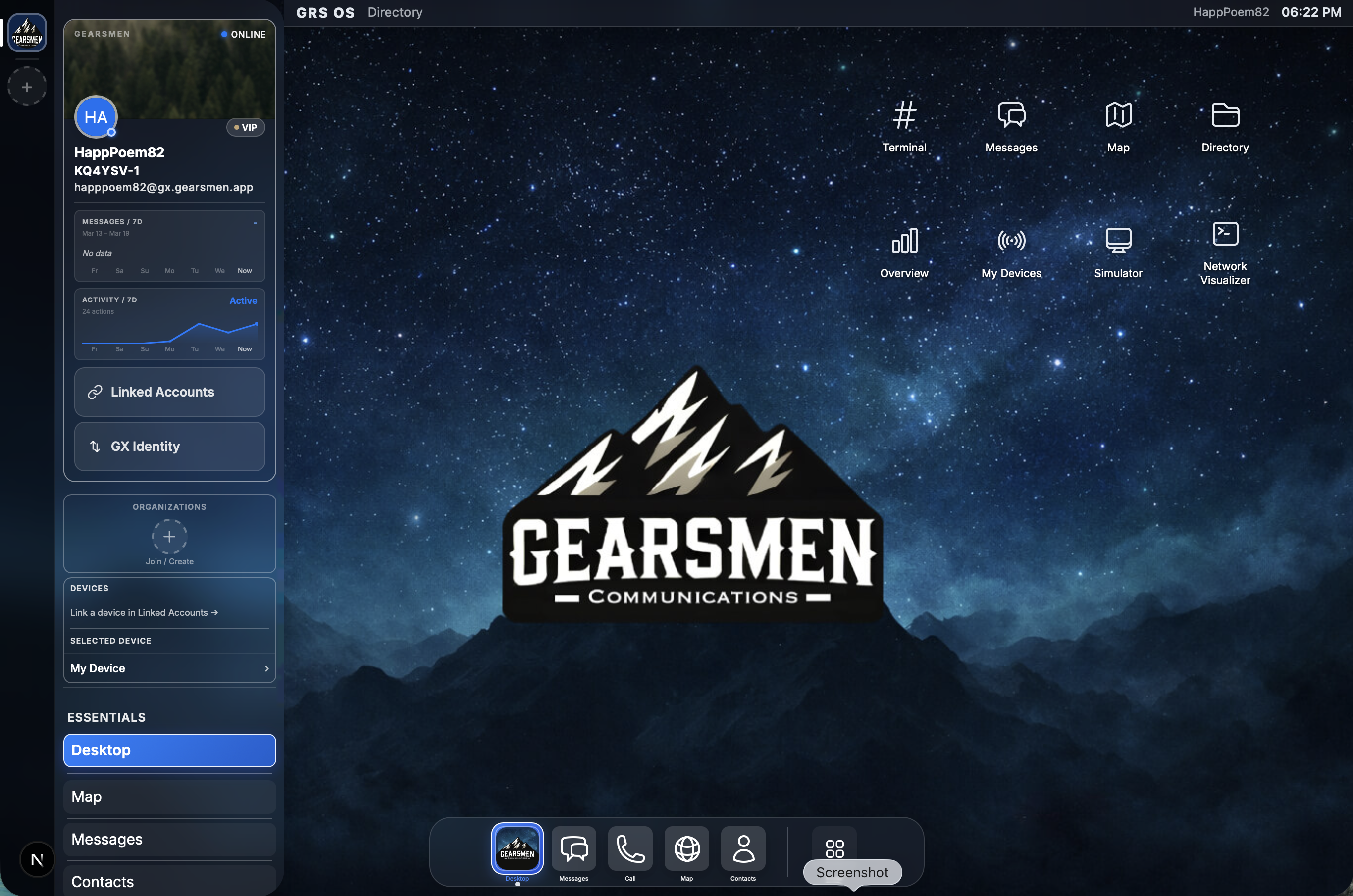
One dashboard to send, read, and manage messages across ham radio, mesh devices, text, and email.


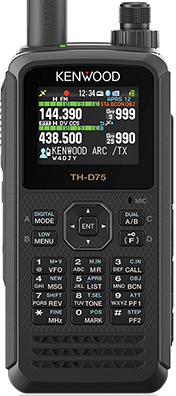
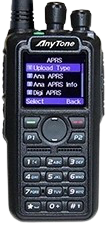
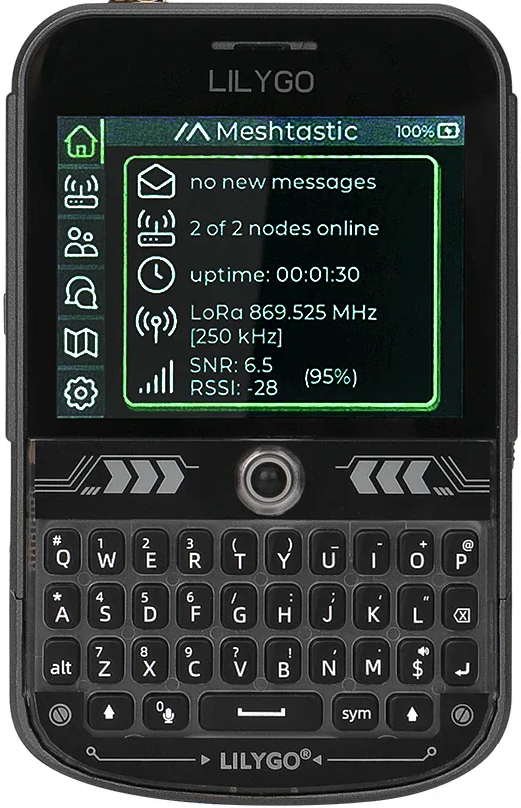
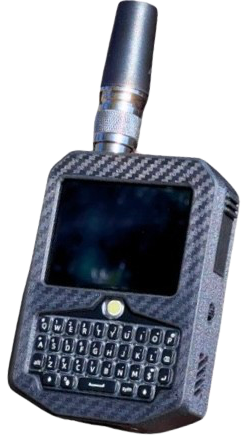
Devices like these
Radios and mesh devices that work with GRS - one account works across all of them.
Designed without a single point of failure
- No single point of failure. If GRS goes down, your devices keep working. Messages still travel through mesh networks on their own.
- No lock-in. You own your communication, not us. Your devices work with or without GRS.
- Multiple networks, one system. No single company controls the communication. GRS connects networks together - but never owns them.
Built to never fail
GRS Mesh firmware is engineered with the same reliability principles used by Apple, NASA, and medical devices. We try to keep your device working no matter what.
Battery dies? Device keeps relaying.
When the battery hits critical, the device enters "Undead Relay" mode - display off, GPS off, WiFi off, but the LoRa radio stays alive at 5 microamps. Incoming mesh packets still get relayed. A field of "dead" devices is still a functioning mesh network.
Example: Your team deploys 10 nodes along a trail. After 3 days, batteries run out. The nodes enter Undead Relay and continue relaying messages for weeks on residual power.
Power yanked mid-operation? Nothing lost.
Every config write uses atomic copy-on-write - if power dies mid-save, the device boots with the last complete config. Queued messages are persisted to flash with CRC integrity checks.
Example: You're updating WiFi settings and someone trips over the USB cable. The device reboots with your previous working settings intact - not a corrupted half-write.
4 layers of recovery: working firmware, OTA rollback, factory defaults, serial recovery. Your device cannot be bricked.
Live network map
See who's on the network in real time.
Heat Map
See who's active right now
Color shows how recently devices were active: red = just now, blue = quite a while. Tap a marker for details.
In the dashboard you can turn this view on or off and filter by type.
GRS Identity Link™
One identity. Every network.
Link your radio callsign, mesh devices, email, and phone number to one GRS account. Send from any device - GRS figures out how to deliver it. Manage everything from one dashboard: map, messages, devices, and more.
One account that works everywhere. No lock-in.
Dual-Protocol Mesh
LoRa + WiFi Mesh running at the same time
Most mesh networks only use one radio. GRSM uses two simultaneously — long-range LoRa for miles of reach, and WiFi mesh for fast local data. Your device automatically picks the best path.
Long-range, low-power radio waves
Short-range, high-speed wireless
Think of it like this: LoRa is your long-distance walkie-talkie — it reaches far but carries small messages. WiFi mesh is your local hotspot — it's fast but only reaches nearby. GRSM runs both at the same time, so your device automatically uses the fast WiFi path when devices are close, and the long-range LoRa path when they're far apart. No setup, no switching — it just works.
No other mesh firmware does both simultaneously.
What the names mean
Gearsmen Mesh
The firmware you flash to your mesh device. It runs on ESP32 LoRa hardware and turns it into a GRS node.
Gearsmen Operating System
The whole platform - dashboard, map, messaging, identity, cloud routing, and every tool on gearsmen.app. GRSM devices connect to GRS OS.
GRS Mesh - the OS on your device
Install GRS on your device and it works off-grid - no cell service or internet needed. Send voice, photos, and files over mesh. When any nearby device has internet, your messages automatically reach phones, radios, and email. Replies find their way back to you.
- ◈Send from anywhere. Your message waits until a nearby device with internet can send it out for you - automatically.
- ◈One identity everywhere. Link all your devices to one account. Lose a radio? Link a new one - you're still you. People can reach you without knowing which device you're using.
- ◈Find your device. Like Find My for radios. See its last known location even after the battery dies. Get alerts if someone moves or tampers with it. Deploy a Guerilla Node on a mountaintop - monitor it from your couch, get alerted if anyone touches it.
- ◈Device security. Lock your device with a passcode. If someone tries to guess it, the device locks them out. Optional: wipe everything after too many wrong attempts.
Messages go everywhere
GRS routes messages across mesh, SMS, email, and radio. Below are examples of how each path works - no technical background needed.
→Email → Ham radio
Email → APRS. GRS delivers to the recipient's radio.
→Mesh device → Text message
Meshtastic → SMS. Link device in dashboard. Link device in dashboard to enable.
→MeshCore device → Text message
MeshCore → SMS. Link device in dashboard. Link device in dashboard to enable.
→Mesh device → Ham radio
Mesh → APRS. Link device in dashboard; link device to enable.
→MeshCore device → Ham radio
MeshCore → APRS. Link device; link device to enable.
→Text message → Mesh device
SMS → mesh. Message appears on device with no cell or internet.
→Text message → MeshCore device
SMS → MeshCore. Message on device with no cell or internet.
→Text message → Ham radio
SMS → APRS. GRS delivers to the radio operator.
→Ham radio → Text message
APRS → SMS. GRS delivers your message as a text.
→Mesh device → Email
Mesh device → Email. No phone or laptop needed.
→MeshCore device → Email
MeshCore → Email. No phone or laptop needed.
→Ham radio → Email
APRS → Email. Check in when off-grid.
→Ham radio → Another radio
APRS → APRS. Message another station via GRS.
→GRS device → Text message
GRS app/simulator/hardware → SMS to phone.
→GRS device → Ham radio
GRS app/node → APRS. Delivers via APRS-IS.
→GRS device → Meshtastic
GRS app/simulator → Meshtastic node.
→Text message → GRS device
SMS → GRS app, dashboard, or mesh device.
Free and paid
Everyone gets the same speed and reach - we don't charge for faster delivery.
Free: Receive messages, weather, alerts, news, group management, GRS Mesh, and the GRS Community. No account fees.
Power User ($5/month or $50/year): Send texts from radio or mesh, AI assistant, full dashboard, simulator, and more. See the pricing page for the full list.
Commands
Send to KQ4YSV from radio or mesh. Full reference at docs/aprs-commands.
| Command | Description |
|---|---|
| HELP [topic] | List commands or get help for a topic |
| SMS <number> <text> | Send SMS to a phone number |
| SMS <number> ? | Check opt-in status of a contact |
| REPLY <text> | Reply to last inbound SMS |
| GROUP CREATE <name> | Create a group |
Text anyone, from anywhere
Your family doesn't need an app, an account, or a radio. They just text a phone number. You reply from your mesh device. It's that simple.
(850) 759-0592
The Gearsmen SMS number - save it as "Gearsmen" in your contacts
Text START to this number once to opt in. That's it. You'll get a welcome message and you're ready to send and receive. Text STOP anytime to opt out.
Family member texts you on your mesh device
A family member has an iPhone. You're hiking with a GRS Mesh device. No app needed - they just text.
Family member texts (850) 759-0592
SEND KD0ABC Are you okay? Call me when you can
Your mesh device shows
SMS from +15551234567: Are you okay? Call me when you can
You reply from your device
SMS +15551234567 I'm fine, at summit. Home by 6
Family member receives a normal text
I'm fine, at summit. Home by 6
They can target you by callsign (KD0ABC), username (@huntallen), or node ID (!a1b2c3d4).
You text family from your mesh device
You're off-grid with no cell service. Your wife has a normal phone. One command sends a text.
From your mesh device
SMS +15559876543 Running late, be home by 8
GRS confirms
GRS: SMS queued to +15559876543. DELIVERED.
Your wife receives a normal text from (850) 759-0592
KD0ABC: Running late, be home by 8
She texts back normally
Okay, drive safe
You receive on your mesh device
SMS from +15559876543: Okay, drive safe
Use code names too: SMS WIFE Running late if you set up contacts.
SMS is rate-limited to prevent spam: 50 messages/day per phone number. Emergency messages are limited to 3/day. Messages from unknown senders can be auto-accepted, require approval, or be blocked - controlled from the mesh user's dashboard.
Questions & Answers
| Question | |
|---|---|
| GRS & Decentralization | |
| Is GRS decentralized? | |
| What is GRS? | |
| How does message routing work? | |
| Why is GRS faster than pure mesh for long-distance messages? | |
By the numbers
Radios, mesh devices, phones, and email - all connected in one platform.
Commands from radio or mesh
APIs integrated
Networks connected
Members
Messages relayed
Unified platform
Ways to reach people off-grid
Numbers update in real time when data is available.
Everything Gearsmen Does
One platform. Here's what's inside.
Scroll to see all 108 capabilities. New features ship every week.
We Love & Support MeshCore.
MeshCore devices talk to each other without cell service by relaying through nearby devices. GRS connects them too - see your MeshCore devices on the map, send and read messages, and check battery and location, all in one place.
USB-C That Does More
Your GRS Mesh device isn't just a radio - it's a power station. The USB-C port charges your device, charges your phone, and tells you exactly what's happening at a glance.
Charge your device
Plug in any USB-C charger. The display shows an Apple-style charging animation and live battery percentage - always visible in the status bar at the top of every screen.
Charge your phone from the device
Plug your phone or any USB-C accessory into your GRS device and it charges them. Your device becomes a power bank in the field - no extra hardware needed.
The 3-second flip
Unplug and re-plug the USB-C cable within 3 seconds to flip the charging direction. No menus, no settings. The device detects your intent and switches instantly - charging your phone one moment, being charged the next.
Always-on status bar
Every screen shows a persistent 12 px iPhone-style status bar: time, battery percentage, Wi-Fi signal, LoRa signal strength, and how many mesh nodes you can currently reach - live, always on top.
Reverse charging works on most supported boards. Battery must be above 20%. See device USB power guide for details.
The Most Secure Mesh
Firmware Ever Built
Every layer - from the silicon to the cloud - is designed to protect your device, your data, and your identity. No other mesh firmware comes close.
LastPin - Find My for Mesh
GPS coordinates are saved and transmitted over LoRa before shutdown. Remote locate pings trigger an audible tone on the device. Offline locate requests are queued and delivered on reconnect. Drop your device on a trail - open your dashboard and see its last pin on a map.
Device Passcode & Lock Screen
PIN hashed with PBKDF2-SHA256 at 100k iterations. Three lock levels: screen-only, function lock (no transmit/config), or full lock. Auto-locks on configurable timeout and persists through reboots. Someone picks up your device - they see a lock screen, just like an iPhone.
SD Card At-Rest Encryption
All SD card data encrypted with AES-256-CBC, keyed from the device PIN. Decryption key exists only in RAM while unlocked - zeroed on lock or power-off. Safe-eject decrypts for normal PC access. Pull the card without ejecting - it's unreadable without your PIN.
Security features are built into GRS Mesh firmware and the Gearsmen cloud platform. Encryption standards: AES-128-CTR, ECDSA P-256 (secp256r1), WPA3-SAE, TLS 1.3. Hardware RNG via ESP32-S3 TRNG. All cryptographic primitives via mbedTLS. Some features require a linked GRS Mesh device. PIN, encryption, and tamper detection work fully offline - no internet required.